Place the countertop pieces
Drag each piece around the slab until the arrangement works for the job.

iCounterSoft
For countertop fabricators: lay out the pieces on the slab, choose the seams, and check the vein flow before you quote the job.
From drawing to layout
Countertop slab layout software lets you arrange the pieces for a job on the slab before cutting. It gives you a clear view of the piece positions, seam locations, and vein flow while you work.
14-day free trial · Slab layout and vein matching are included in Standard · No sales meeting
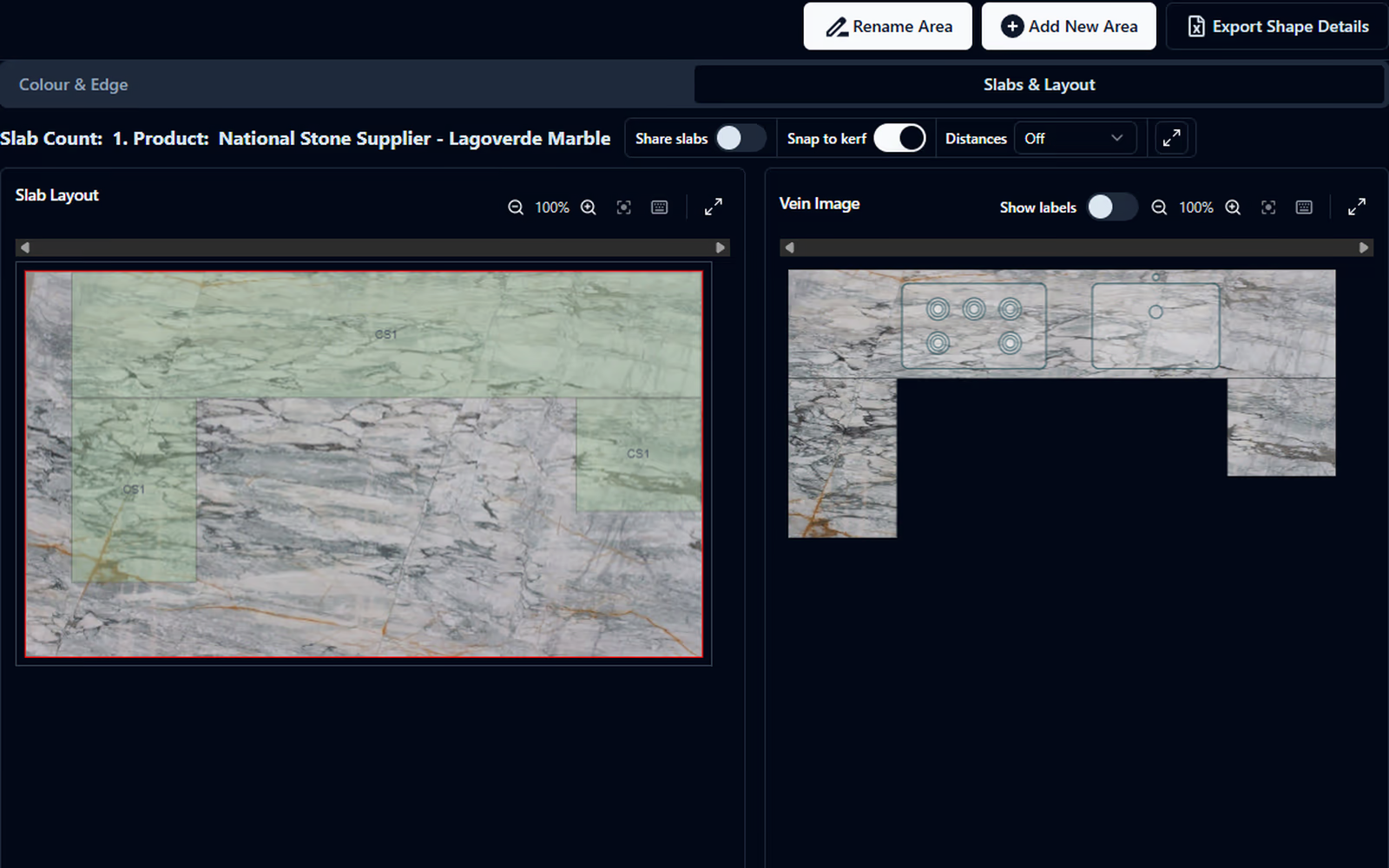
Layout check
Use the layout to make the decisions the slab requires. You control where each piece sits and where each seam falls.
| Check | What you see |
|---|---|
| Piece position | Where each countertop piece sits on the slab. |
| Vein flow | How the stone pattern meets across the joints. |
| Seam location | The seam position you choose for the finished countertop. |
Drag each piece around the slab until the arrangement works for the job.
See how the stone pattern meets at each joint while you adjust the layout.
Choose the seam locations and review the layout before the job moves ahead.
One workflow
iCounterSoft keeps the countertop drawing, slab layout, and quote in the same application. You can move from the measured job to the layout without recreating the job in separate software.
"We already see the benefit and value in producing professional drawings, vein matching, and quotes for our customers!"
Direct answers
Countertop slab layout software lets a fabricator arrange the pieces for a job on a slab before cutting. In iCounterSoft, you move the pieces, set the seam locations, and check how the veining will meet across the joints.
Slab layout and vein matching are included in the Standard plan at US$70 per month for one user. You can try iCounterSoft free for 14 days.
Yes. iCounterSoft keeps slab layout in the same application as the countertop drawing and quote, so you do not need to recreate the job in another system.
Ready to lay out the next job?